You need to send a payment reminder, check invoices or explain why this month’s costs went up. AI and automation tools can help with parts of these jobs. Before you use the result, check three things: is it correct, is the information safe, and has the right person approved it?
This guide uses everyday finance tasks to explain where AI can help, what needs checking and when a person should approve the next step.
Key takeaways
Start small. Try a draft email or invoice check before using a tool for more important tasks.
Check before uploading. Do not share salary files, bank details or client records unless your business has approved the tool and the use.
Name the reviewer. Everyone should know who checks the work and who approves the next step.
Check the original. Compare the answer with the invoice, spreadsheet or current official rule.
Save the final work. Keep the source file, checked result and approval where your team can find them.
Stop when something looks wrong. Pause the affected task and tell the person responsible.
What does AI governance actually mean
AI governance means having clear rules for using AI at work. Which tools can we use? What can we share? Who checks the result? Who do we contact if something goes wrong?
Make this guide useful for your team
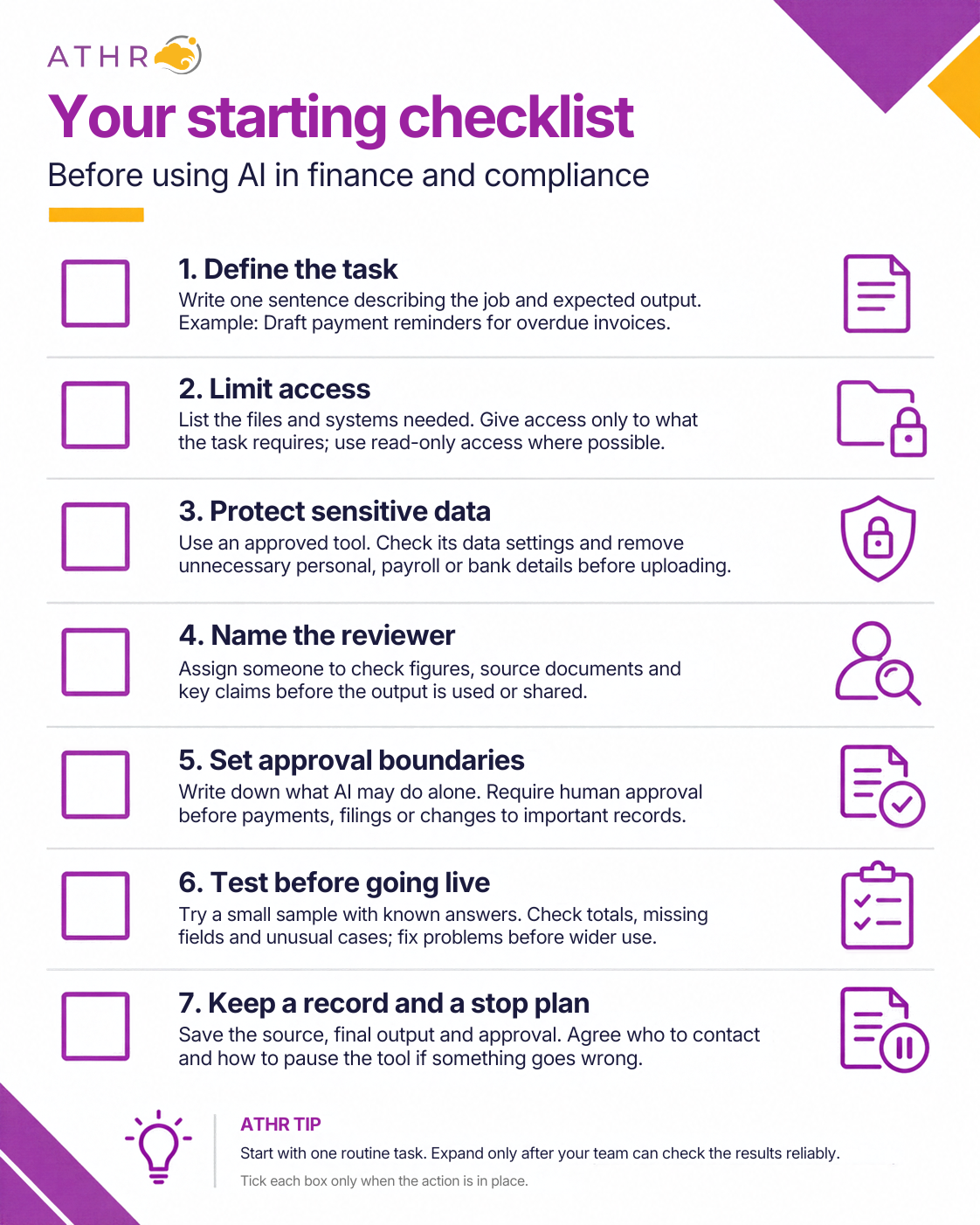
Choose one task as you read, such as drafting a reminder or reviewing monthly costs. Use the checklists to decide what is ready and what needs fixing.
You do not need to change everything at once. Start with a small, well-managed task and build from there.
Choose a sensible place to start
Start with a task you already understand and a result you can check. Agree what the tool may do before giving it access to business information.
Match the task to the right type of support
The names below illustrate different types of support. Choose based on the task, your data rules and the features available in your approved account.
Task and an example tool
What you still need to do
Draft a reminder or summarise notes Example: ChatGPT Business
Share only the information needed. Check names, dates and wording before using the draft.
Explore figures or prepare formulas Example: Copilot in Excel
Check the data and formulas. Confirm your plan and settings include the feature.
Capture details from bills and receipts Example: Hubdoc with Xero
Compare the captured details with the original. Check account coding and tax treatment before adding the entry.
Example 1: Draft a payment reminder
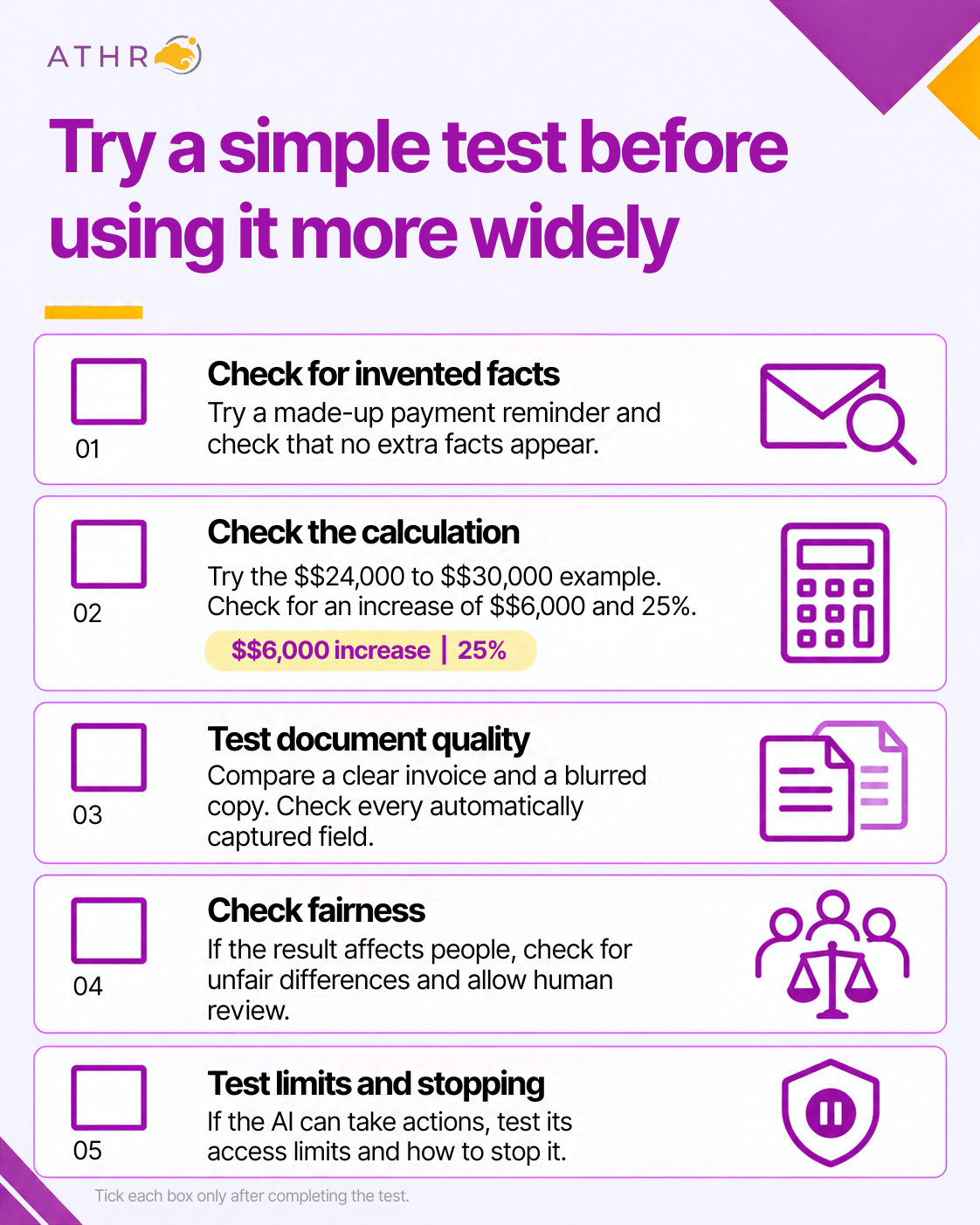
Try this with fictional details: “Write a polite payment reminder under 80 words. Invoice DEMO-1048 is seven days overdue. Ask the customer to confirm payment status. Do not add bank details, fees or facts I have not supplied.”
Before sending a real reminder, check that the invoice is still unpaid, the amount and due date are right, and the recipient is correct. A useful prompt helps guide the draft; it cannot guarantee an accurate answer.
Check what you share with AI
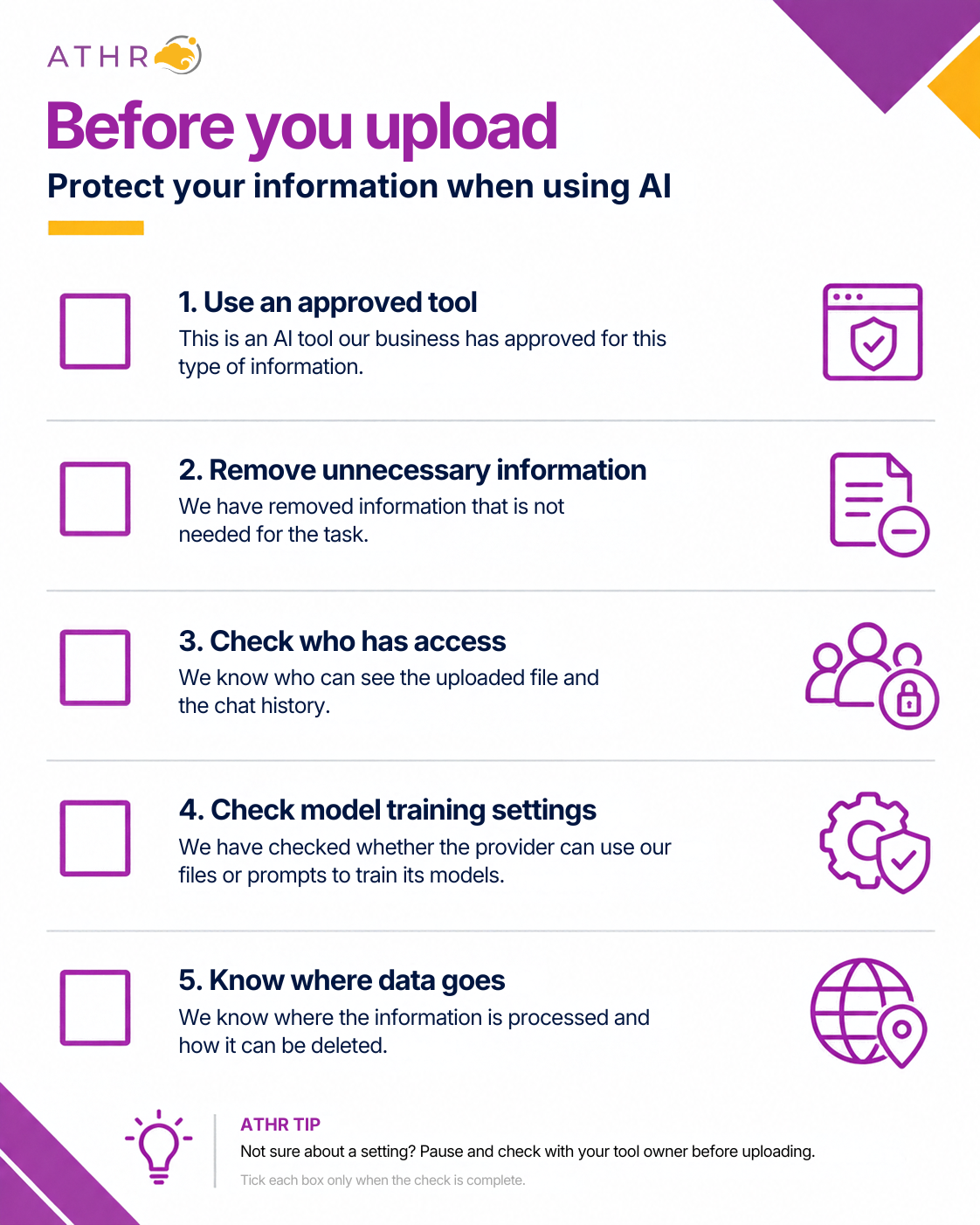
Before uploading a file, check what is inside. It may contain salaries, personal contact details, bank accounts or confidential client information.
Share only what the task needs
For a payroll summary, you may only need totals and categories. Try made-up names and figures first. Do not upload the full employee file when a smaller table will do.
Removing names is not always enough. A job title, salary and department might still identify someone in a small team.
Check the account as well as the tool
Check how your provider uses uploaded data, how long it keeps it and who can access it. A promise not to use data for model training does not mean the data is never stored. Review the settings and terms for your actual account.
Ask this
Why it matters
What happens to the files we upload?
Understand storage, access, retention and any use for training.
Can we restrict access to our team?
Check the settings on the actual plan you intend to use.
Does data leave Singapore?
Overseas processing can require additional data protection checks.
Who should we contact about a problem?
Have a clear contact for incidents, access issues and deletion requests.
The Singapore point to remember
Singapore’s Personal Data Protection Act (PDPA) still applies when you use AI. Check that the use is allowed. Give required notices and obtain consent where needed, or confirm that an applicable exception permits the use.
Unsure about personal data or overseas processing? Ask your Data Protection Officer, the person responsible for data protection, before uploading.
Check the work before you use it
AI can sound certain and still be wrong. Keep the original file beside the result so you can compare them.
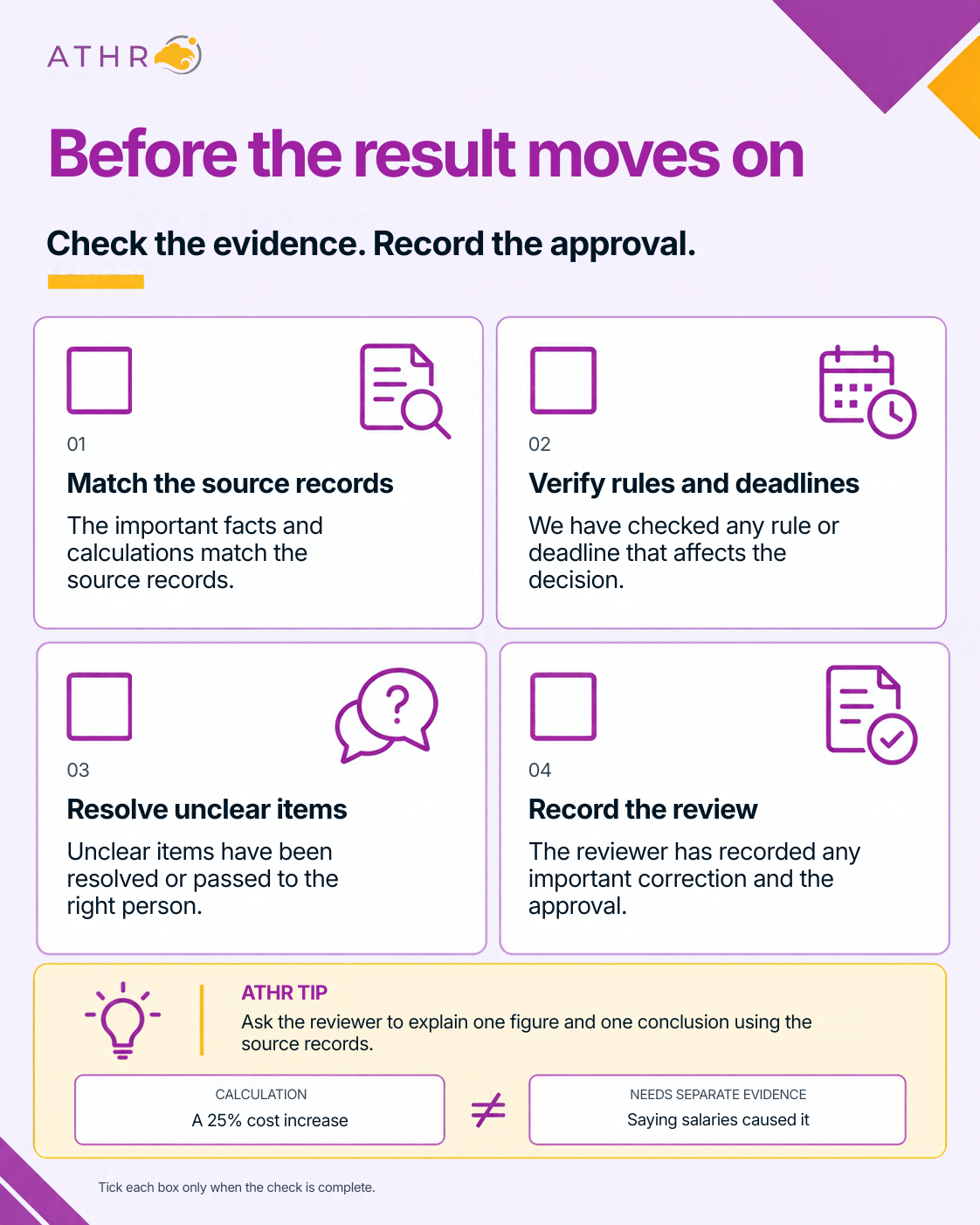
Use a simple three step review
1. Match the facts. Check the names, dates, currency and reporting period.
2. Check the figures. Recalculate in your approved spreadsheet or finance system.
3. Check the explanation. Does the evidence support it? Check tax rules and deadlines against current official guidance.
Example 2: Check a cost increase
Try this with a fictional workbook
Check the answer
July costs: S$24,000
August costs: S$30,000
Prompt: “Compare July and August costs. Show the dollar and percentage change. Use July as the base. Do not guess the cause.”
The increase is S$6,000, or 25% of July costs.
Check: (30,000 – 24,000) ÷ 24,000 × 100 = 25%. Check which cells the tool used.
The tool says higher salaries caused the increase.
These two totals do not show the cause. Check payroll and the ledger before using that explanation.
For a real report
Work on a copy, check formulas and review any workbook changes before sharing.
Keep the approval clear
Keep human approval for payments, supplier bank changes and statutory submissions. Where practical, one person prepares the work and another approves it. Confirm changed bank details through an established independent channel.
Keep the paperwork easy to find
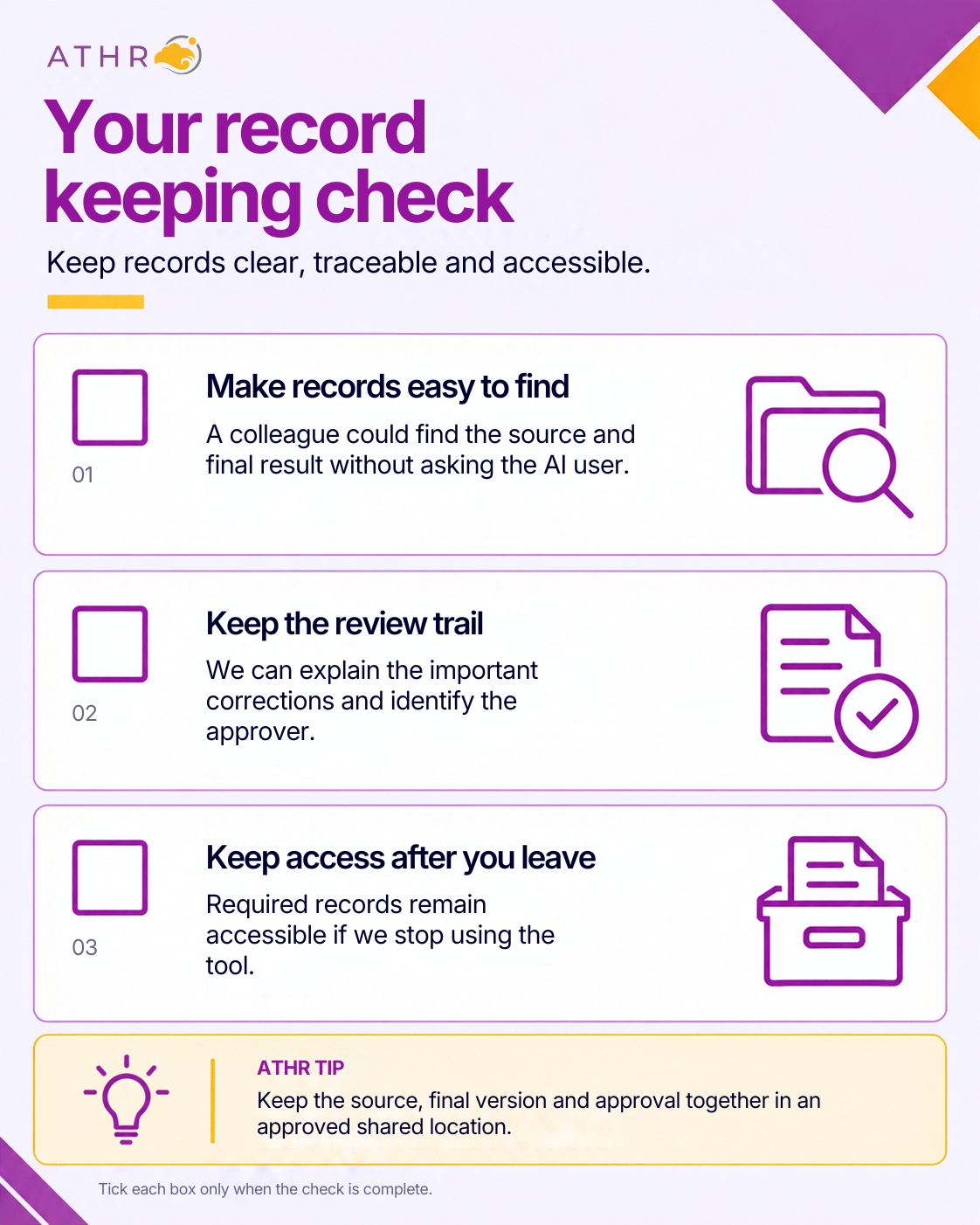
If a colleague asks why an expense was recorded a certain way, you should be able to find the original document and explain the decision.
Keep a simple trail of the work
ATHR tip: Use the same reference in the source file, checked result and approval note, such as the invoice number. Store them in an access-controlled folder your reviewer can find.
Keep this
For example
The original document
The invoice, payroll input or meeting record used for the task.
The checked result
The final spreadsheet, calculation or approved document.
The important review notes
A duplicate removed, a tax treatment corrected or an assumption resolved.
The approval
Who checked the work, when they approved it and what happened next.
Example 3: Check an automatically captured invoice
Open the original invoice beside the automatically captured details. Check the supplier, date and total. Before adding the entry to your accounts, review the account code and GST treatment. GST shown on a bill does not automatically mean it can be claimed.
Save a short note when you correct something. For example: “Invoice 1048: total corrected from S$1,090 to S$109 after checking the original. Reviewed by Mei before publishing.” Keep the original document with the accounting record.
Keep required records when changing tools
If you cancel an AI subscription or move to a new accounting system, check that you can still retrieve your business records. A chat history should not be the only place where essential documents are stored.
IRAS generally requires company financial records to be kept for at least five years from the relevant Year of Assessment. GST records generally need to be kept for at least five years after the end of the relevant GST accounting period. Follow any longer requirement that applies to your business.
This does not mean every AI conversation must be kept for five years. Keep what your business and legal obligations require, and avoid holding on to unnecessary copies of sensitive information.
Try a small test and know when to pause
Before using a tool for live work, test it on examples you can check yourself. A clean invoice alone will not show how it handles a blurred scan or missing information.
If something looks wrong
What to do
What that means in practice
Pause the affected task
Stop further uploads, messages or automated actions while you check.
Tell the right person
Contact the task owner. Involve IT and your Data Protection Officer if data or access may be affected.
Keep the relevant evidence
Secure the source files, outputs and logs. Avoid sharing sensitive details more widely.
Check what happened next
Look for affected payments, reports or records. Correct them through the usual approval process.
Restart after checking the fix
Test the corrected process and confirm who approves the restart.
Treat personal data incidents promptly
A wrong figure and a data leak need different responses. If personal data may have been exposed, ask your Data Protection Officer to assess the situation promptly. Where notification to Singapore’s Personal Data Protection Commission is required, it must be made as soon as practicable and no later than three calendar days after determining that the breach is notifiable. Affected individuals must also be notified where required.
Keep checking as you go
Track repeat mistakes and time spent correcting them. Check the setup again when the tool or its access changes. If corrections take too long, simplify the task before expanding it.
Your next step starts with one task
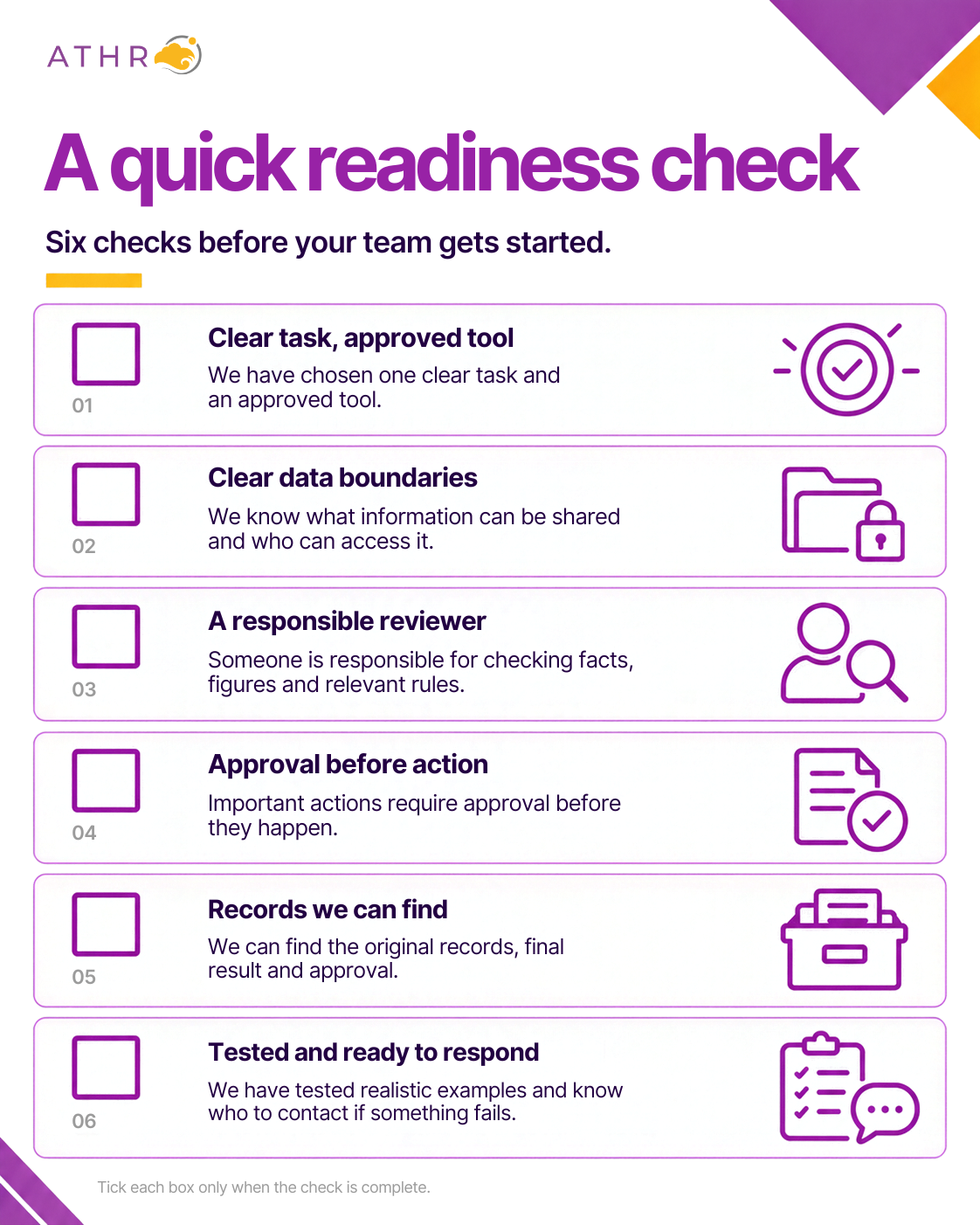
Choose one task, one approved tool and one reviewer. Agree what information can be used and when human approval is needed.
If an important check is missing, fix it before using the tool for that work. You can practise with made-up data while you do this.
Make a manageable plan for the next month
When
Focus
Week 1
Choose one task and agree who owns it.[cite: 20]
Week 2
Check the data, tool settings and review steps.[cite: 20]
Week 3
Test a small batch and fix the problems you find.[cite: 20]
Week 4
Decide whether to use it more widely and set the next review date.[cite: 20]
Let ATHR support the work behind the tools
As you introduce AI, your business still needs organised accounts, reliable payroll and attention to filing deadlines. ATHR supports Singapore businesses with accounting and tax, payroll,corporate secretarial and corporate advisory services, with a dedicated Key Account Manager to coordinate your support.
If your team is spending too much time sorting records, chasing information or checking routine work, talk to us about where you need help. We can discuss the relevant ATHR services and the support that fits your business.
Choose one task today. Agree what AI can help with, who will check it and what happens next. That is a practical first step towards using AI with greater confidence.
Disclaimer
This guide gives general information, not advice for your specific business. It does not replace legal, tax, data protection or cybersecurity advice. Tool names are examples, not a claim of ATHR partnership or approval. Features and data settings vary by plan and may change. Check current provider terms and official guidance before use. No tool, prompt or checklist guarantees accuracy or compliance. Your business remains responsible for checking outputs and approving actions. Information checked as of 22 September 2026.
ATHR Content Team
ATHR Articles & Guides
The ATHR Content Team is a group of professional writers from Singapore and the Philippines, committed to delivering informative, practical, and engaging content for business owners across Southeast Asia.
Free yourself from routine business tasks and let ATHR take the weight of financial administration off your shoulders. Smart solutions, seamless service, zero hassle.